The Ultimate Guide to Switching to Hostinger: A Risk Free Transition
Posted on |
Many website owners recognize they are overpaying for hosting services or suffering from suboptimal server performance. Yet, a significant number remain with legacy providers due to a single inhibiting factor: technical apprehension.
Concerns regarding data loss, email service interruption, or extended downtime are understandable. However, in 2025, Hostinger has effectively mitigated these risks through one of the most sophisticated Free Migration Services in the industry. Whether migrating from Bluehost, GoDaddy, or SiteGround, the transition process is no longer a manual burden but a streamlined, automated workflow.
In this final guide, we outline the precise methodology for migrating your digital assets to Hostinger while maintaining full operational continuity.
The Zero Downtime Guarantee
A prevalent misconception is that a website must go offline during a server migration. This is factually incorrect regarding modern migration protocols.
When initiating a transfer to Hostinger, your existing website remains fully operational on the legacy host while a clone is constructed on the new server. The DNS switch, which directs traffic to the new location, occurs only after the migrated site has been fully verified. Consequently, visitors experience no disruption in service.
Step 1: The Automated Migration Protocol
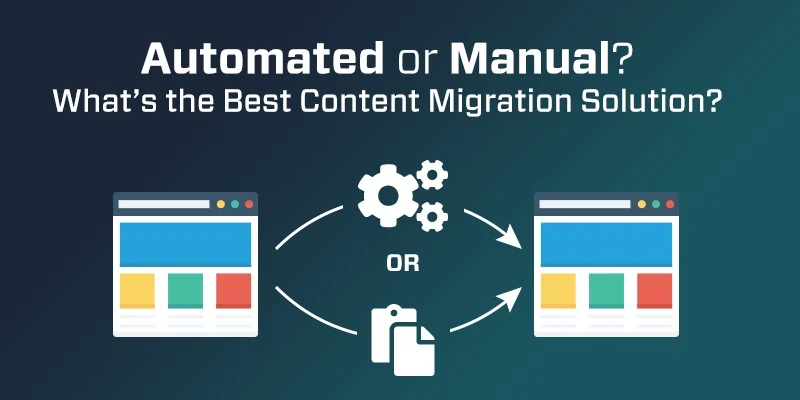
Hostinger provides a proprietary tool that handles the technical heavy lifting. Upon registration for any hosting plan, users gain immediate access to the Automated Migration Tool.
Operational Workflow:
- Initiate Request: Within the new dashboard, access the profile menu and select Migrate Website.
- Credential Input: Enter the URL of the existing WordPress site along with the administrative login credentials.
- Automated Execution: The system securely connects to the legacy server, aggregates all files and databases, and replicates them to the Hostinger infrastructure.
- Verification: The user receives a notification upon completion, typically within one hour for standard websites.
Note: For complex architectures, users may request a Human Migration. A specialized engineer will manually execute the transfer at no additional cost.
Step 2: Domain Transfer Methodology
While file migration is complimentary, transferring the domain name typically incurs a nominal registry fee. Crucially, this fee usually extends the domain registration validity by one year, ensuring no financial loss.
The Execution Checklist:
- Unlock Domain: Navigate to the current registrar and disable the Domain Lock setting.
- Authorization: Request an EPP Code or Authorization Code from the current provider.
- Initiate Transfer: In the Hostinger Domains tab, select Transfer Domain and input the EPP code.
- Propagation: The transfer process adheres to ICANN regulations and may take 5 to 7 days. The website remains online throughout this period.
Step 3: Email Service Continuity
Preserving email history and functionality is often the primary source of anxiety during migration. Hostinger integrates professional Titan Email with their plans to ensure seamless communication.
- External Providers: Users utilizing Gmail or Outlook simply need to update their MX Records within the DNS settings.
- Webmail Users: The platform includes an Email Import Tool. By entering the legacy email credentials, the system imports all existing correspondence into the new inbox via IMAP.
Cost Benefit Analysis: Staying vs Switching
The financial logic for migration is compelling when analyzed on an annualized basis.
Remaining with a Legacy Provider:
- Renewal Price: ~$14.99 per month
- SSL Fees: ~$5.99 per month
- Total Annual Expenditure: ~$250
Migrating to Hostinger:
- Business Plan: ~$3.99 per month
- Migration Fee: $0
- SSL Certificate: $0 (Indefinite)
- Total Annual Expenditure: ~$48
The savings realized in the first year alone exceed $200, which effectively covers the domain transfer fee multiple times over.
Execute your migration strategy today: Start Your Free Migration to Hostinger
Traveling during your site migration? Secure efficient transport options via CouponProAI.